
OpenClaw

✓ Verified by AITL
November 24, 2026

Open Source AI Assistant for Your Chat Apps

OpenClaw is a free, open source AI assistant that runs on your own computer or server and replies in WhatsApp, Telegram, Slack and other chat apps. Model usage is billed by the provider you connect.

Category:
AI Automation
Pricing Model:
Free
Last checked:
November 24, 2026
Reviewed by:
Marian Cojocaru
Pricing Snapshot
Billing Frequency:
Free
Paid Option From:
Not publicly available
Last Known Major Update:
November 17, 2026

Some links on AITL are affiliate links and we may earn a commission at no extra cost to you. It never affects our reviews. How we curate

Private. Your feedback isn't shown on this page. See our Privacy Policy.

Feedback sent. Thank you.
Your feedback wasn't sent. Check your connection and try again.
At a glance
OpenClaw
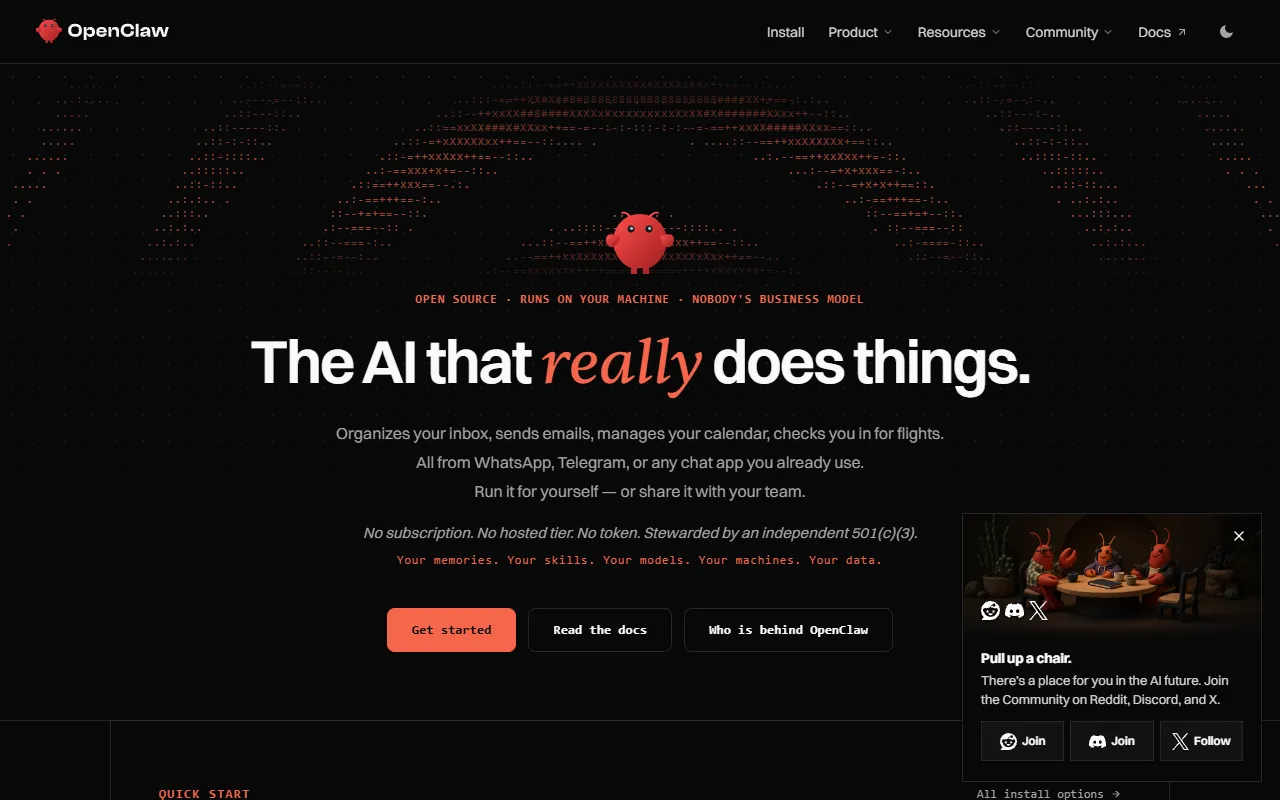
Homepage screenshot
Pros:
  • Free and MIT licensed, with no paid tier
  • Works in 29 chat channels, including WhatsApp, Telegram, Slack and iMessage
  • Sessions, memory and configuration stay on your own machine
  • Hosted models, supported subscriptions and local models can be used
  • Scheduled jobs, webhooks and Gmail triggers run in the background
  • One Gateway can be shared with a team, with named operator roles
  • Plugins and community skills can be added from ClawHub
  • Run by a non-profit foundation that signs releases
Cons:
  • No hosted version: you install and maintain the Gateway yourself
  • Model usage is billed separately by the provider you connect
  • Sandboxing is off by default, so main-session tools run on the host
  • One Gateway is one trust boundary, so people who do not trust each other need separate Gateways
  • iOS and Android apps need a running Gateway
  • Community skills and plugins are third-party code, and the docs say scans are not a complete security boundary
  • OpenClaw Enterprise is pre-1.0 and meant for internal pilots
API Available

Last known major update

November 17, 2026

Version 2026.11.5 reduces typing lag while long replies stream, recovers chats more reliably after a disconnect and lets you stop a task from another device when the one that started it goes offline.

Official announcement

About the tool

OpenClaw is an open source AI assistant that runs on your own computer or server and answers in the chat apps you already use, including WhatsApp, Telegram, Slack, Discord, Signal and iMessage. A service called the Gateway manages sessions, tools and channel connections, and one Gateway can serve one person or a team whose members trust each other. The software has an MIT license and is run by the OpenClaw Foundation, a US 501(c)(3) non-profit. OpenAI is one of its donors, and the Foundation says donors do not own or direct the project. The assistant can browse the web, fill in forms, read and write files, run shell commands and send messages. Scheduled jobs, webhooks and Gmail triggers start work in the background, and memory is kept as Markdown files in the agent's workspace. The integrations page lists 29 chat channels, 64 model and media providers and 142 official plugins. You can use hosted models such as Claude, GPT or Gemini, sign in with a supported subscription, or run local models with Ollama, LM Studio, vLLM or llama.cpp. Desktop apps cover macOS, Windows and Linux, while the iOS and Android apps are companions that need a running Gateway. There is no paid plan, hosted service or token, so the costs come from the model providers, APIs and server you choose. Sessions, memory and configuration stay on the Gateway host, while prompts go to the model providers and chat platforms you connect. An install sends a daily version check, an anonymous install count and update outcome reports by default, and feature statistics are opt-in. Tools in the main session run on the host unless you turn on sandboxing, which is off by default. OpenClaw Enterprise, a self-hosted control plane for organizations, is also free and still pre-1.0.

Key use cases

Task Automation

Trigger actions from events automatically, with less manual coordination in project work and service delivery.

Workflow Automation

Link your apps and automate repeated actions, so repetitive tasks stop taking up your time.

Cross-App Automation

Move data between the apps you already use, so you stop copying information from one system to another.

API & developer readiness

The Gateway can serve OpenAI-compatible HTTP endpoints (POST /v1/chat/completions, GET /v1/models, POST /v1/embeddings) and an OpenResponses endpoint (POST /v1/responses). Both are off by default. A valid Gateway token gives full operator access, and the docs say not to expose the endpoints to the public internet. Inbound webhooks, MCP servers and a plugin SDK are also supported. Zapier publishes a guide for connecting OpenClaw to Zapier MCP, but its app directory has no OpenClaw app.


Pricing and plans

  • Free: $0. The full OpenClaw assistant under the MIT license: the Gateway, desktop apps for macOS, Windows and Linux, and companion apps for iOS and Android. Model usage is billed by the provider you connect, or you can run local models.
  • OpenClaw Enterprise: $0. A separate open source control plane for organizations, self-hosted, pre-1.0 and intended for internal pilot workloads.

OpenClaw has no paid tier, hosted service or token. Costs depend on the model providers, APIs and server you choose.

November 24, 2026
See alternatives

Frequently asked questions

Is OpenClaw free?

Yes. OpenClaw is open source under the MIT license, and the project has no paid tier, hosted service or token. OpenClaw Enterprise, a separate control plane that is still pre-1.0, is also free to self-host. Checked November 24, 2026 (OpenClaw, OpenClaw Enterprise).

What does it cost to run OpenClaw?

The software costs nothing. Model usage is billed by the provider you connect through an API key or a supported subscription such as ChatGPT, and you pay for a server if you rent one. Local models through Ollama, LM Studio, vLLM or llama.cpp can replace hosted ones. Checked November 24, 2026 (API usage and costs).

Is my data sent to OpenClaw or used to train AI?

Sessions, memory and configuration stay on the Gateway host. An install sends a daily update check, an anonymous install count and update results by default, without prompts or keys, and you can turn this off. Prompts go to your model provider and chat platforms under their own policies. The policy does not mention AI training (telemetry, Privacy Policy, effective August 2, 2026).

Can I use OpenClaw commercially?

Yes. The MIT license allows anyone to use, copy, modify, distribute and sell copies of the software, as long as the copyright and license notice stay with it. The software is provided as is, without a warranty (License).

Does OpenClaw have an API?

Yes. Your own Gateway can serve OpenAI-compatible endpoints such as /v1/chat/completions, plus /v1/responses. They are off by default. The docs treat access to them as full operator access and say not to expose them to the public internet (API docs).

Can OpenClaw run commands on my computer?

Yes. It can run shell commands, read and write files and control a browser. Tools in the main session run on the host unless you configure sandboxing, which is off by default. Most chat channels answer an unknown sender with a pairing code and do not process the message until you approve it (sandboxing, security).

Who makes OpenClaw?

OpenClaw is run by the OpenClaw Foundation, an independent US 501(c)(3) non-profit that employs the core team and signs releases. OpenAI is one of its donors and employs the creator of OpenClaw. The Foundation says donors do not own, control or direct the project (OpenClaw, What is OpenClaw).

Automation integrations

Native connectors with Zapier, Make and Albato, checked by AITL.

No direct integrations listed

No public direct integrations currently listed with Zapier, Make, or Albato.

Official channels

Where this tool is active and shares its updates.

Similar tools

Submit your product!

Submit your AI tool for review. The AITL team evaluates every submission by hand. Add the AITL badge to your site and send us the link to get a reply within 48 hours.

Submit now

Side by side

Facts from each tool's AITL page. AITL does not pick a winner.

Open on the Compare page

Listed on AITL? Get your badge

Show visitors that your tool is listed on AITL. Copy the code below and paste it into your website's HTML. The badge links straight to this page.

Listed on AITL badge preview
  1. 1Copy the badge code
  2. 2Paste it into your site, for example the footer
  3. 3Visitors click through to your AITL listing
Free weekly email

One AI workflow a week

Every week we combine 2–4 tools from AITL into a step-by-step workflow you can try in minutes.

  • Clear steps, from the first tool to the result
  • Only tools we reviewed and listed on AITL
  • Plus the newest tools we listed that week

No spam. Unsubscribe anytime. See our Privacy Policy

You're in. Watch your inbox for your first workflow.
Oops! Something went wrong while submitting the form.
Example issue
4 tools · about 20 min

Turn one meeting into a week of social posts

Fathom
Claude
Leonardo AI
SocialBee
  1. Fathom records the call and writes the summary.
  2. Claude turns it into 5 short posts.
  3. Leonardo AI makes one image per post.
  4. SocialBee schedules them across the week.

OpenClaw

Not publicly available

Visit Website