
Spreadsheet to App

✓ Verified by AITL
November 19, 2026

Turn Excel, CSV or Google Sheets Into a Web App

Spreadsheet to App turns an Excel file, a CSV or a Google Sheet into a hosted web app. You describe the workflow, an AI agent writes the code, and the app reads and writes your Google Sheets. Free plan for 1 app, paid plans from $25/month.

Category:
AI Coding
Pricing Model:
Freemium
Last checked:
November 19, 2026
Reviewed by:
Marian Cojocaru
Pricing Snapshot
Billing Frequency:
Monthly
Paid Option From:
$25/month per workspace (Basic)
Last Known Major Update:
Not publicly available

Some links on AITL are affiliate links and we may earn a commission at no extra cost to you. It never affects our reviews. How we curate

At a glance
Spreadsheet to App
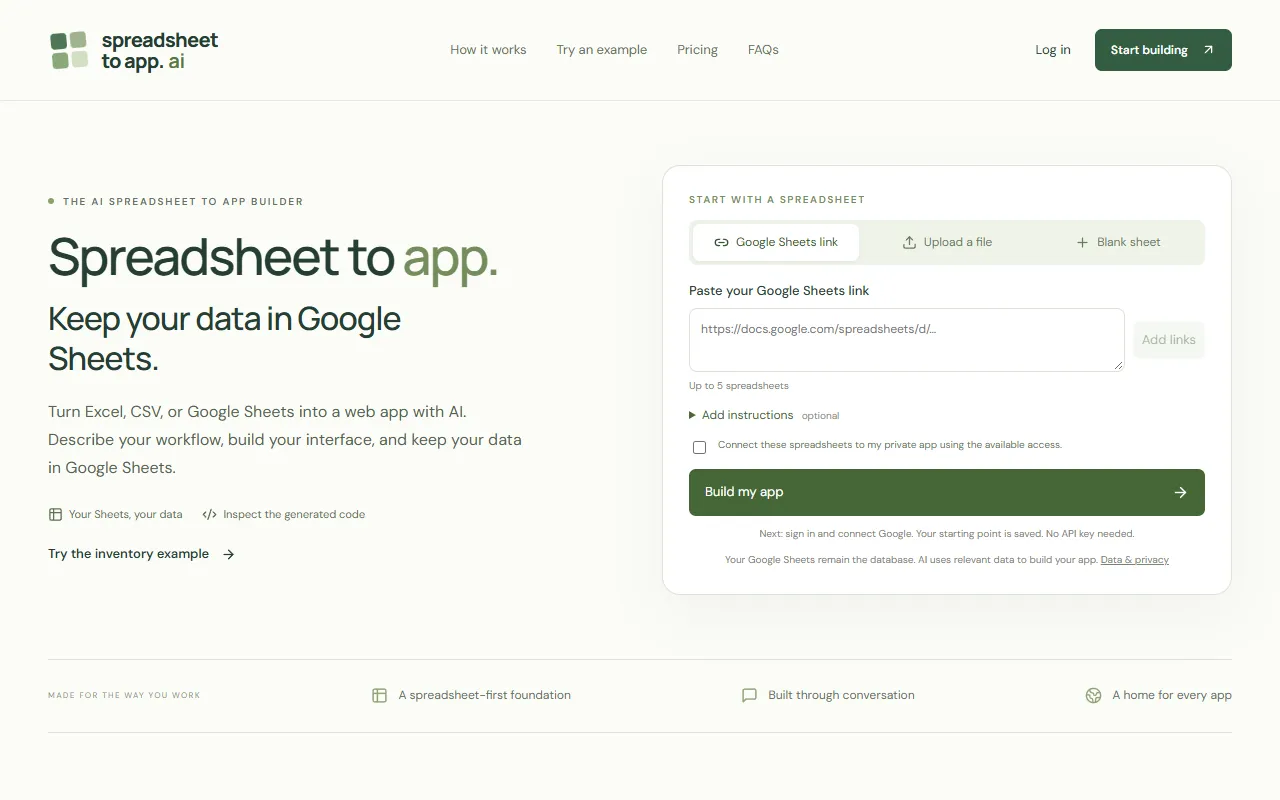
Homepage screenshot
Pros:
  • Turns Excel, CSV or Google Sheets files into a hosted web app from a plain language description
  • Google Sheets stays the database, with direct reads and writes from the app
  • Generated code can be browsed and edited next to a private preview
  • Team workspaces with build, publish and view permissions
  • AI usage included in every plan, with no separate token charges
  • Free plan for 1 app with no credit card
Cons:
  • No per-row access controls, so every workspace viewer can read the shared tables
  • Excel macros are not converted, and formula cells are read-only in the app
  • Builds web apps only, not native iOS or Android apps
  • Needs a Google account, since every app's data lives in Google Sheets
  • Still in early access

No public API available

About the tool

Spreadsheet to App is an AI app builder for people whose data already lives in spreadsheets. You upload an Excel workbook or a CSV, or paste up to 5 Google Sheets links, and describe what the app should do, for example "let my team search products, edit stock quantities and see which items need reordering". After you sign in and connect Google, uploaded files become Google Sheets in your account and linked sheets stay where they are. The app reads and writes those sheets directly, so Google Sheets remains the database. The app is built in Studio, where a coding agent powered by DeepSeek writes the code while a private preview runs beside the chat. You ask for changes in plain language, browse and edit the generated files, and roll back to one of the 5 most recent checkpoints. Teammates can be invited with build, publish or view permissions. When you click Publish, the app is hosted at its own spreadsheettoapp.app address and opens in any browser. Typical builds include inventory apps, a team CRM from a contact list, project dashboards and internal request tools. The Free plan covers 1 app, 1 seat and a limited monthly AI allowance, with no credit card. Basic costs $25 a month per workspace for 5 apps and 2 seats, Pro costs $75 for 20 apps, 3 seats and five times the Basic AI allowance, and Business costs $125 for 20 apps, 3 seats and no AI allowance cap. Extra seats are $5 per person a month, and AI usage is included with no separate token charges.

Key use cases

Building AI-native applications

Create your own AI products, from copilots and assistants to intelligent workflows and dynamic interfaces.

Dashboard Reporting

Put key metrics in one view for leadership reports and team monitoring, using AI for data analytics to support decisions.

Workflow Automation

Link your apps and automate repeated actions, so repetitive tasks stop taking up your time.

Pricing and plans

  • Free: $0/month per workspace. 1 app, 1 seat, limited monthly AI allowance. No credit card required.
  • Basic: $25/month per workspace. 5 apps, 2 seats included, standard weekly AI allowance. Extra seats $5 per person a month.
  • Pro: $75/month per workspace. 20 apps, 3 seats included, 5 times the Basic weekly AI allowance. Extra seats $5 per person a month.
  • Business: $125/month per workspace. 20 apps, 3 seats included, no AI allowance cap. Extra seats $5 per person a month.

Prices are in USD and billed monthly; taxes may be added at checkout. AI usage is included with no separate token charges. The AI allowance is shared across the workspace: Basic and Pro reset every 7 days, Free resets monthly, and unused allowance does not roll over. Extra seats do not raise the allowance. The workspace owner can change or cancel the plan in Billing; cancellation takes effect at the end of the billing period, and apps and data are kept under Free limits.

November 19, 2026
See alternatives

Frequently asked questions

Is Spreadsheet to App free?

Yes, for one app. The Free plan covers 1 app, 1 seat and a limited AI allowance that resets monthly, with no credit card. Paid plans start at $25 a month per workspace. Checked November 19, 2026 (pricing).

How much does Spreadsheet to App cost?

Basic costs $25 a month per workspace for 5 apps and 2 seats. Pro costs $75 for 20 apps, 3 seats and five times the Basic weekly AI allowance, and Business costs $125 with no AI allowance cap. Extra seats are $5 per person a month. Checked November 19, 2026 (pricing).

What happens when I cancel a paid plan?

The workspace owner cancels in Billing, and cancellation takes effect at the end of the billing period. Apps and data are kept under Free plan limits. The AI allowance does not roll over, and the pricing page and Terms do not describe a refund policy (pricing).

Is my data used to train AI?

Not your Google data. The privacy policy says Google user data is not sold, used for advertising or used to train general-purpose AI models. Prompts and project context are sent to DeepSeek to generate code, and the policy does not promise zero retention by every provider. Spreadsheet records stay in Google Sheets (Privacy Policy, updated November 11, 2026).

Who owns the apps and code I build?

The Terms say you keep rights in the content you provide and you may use the code and other output generated for you. They do not say outright that you own the generated code, and they note that AI output may include material under third-party licenses (Terms, updated November 11, 2026).

Who makes Spreadsheet to App?

LOUGAO, LLC, as named in the Terms and Privacy Policy. Neither page gives the company's location. The product is in early access, and the Terms say features may change during that period. The official site is spreadsheettoapp.ai (Terms, updated November 11, 2026).

Automation integrations

Native connectors with Zapier, Make and Albato, checked by AITL.

No direct integrations listed

No public direct integrations currently listed with Zapier, Make, or Albato.

Official channels

Where this tool is active and shares its updates.

Similar tools

Submit your product!

Submit your AI tool for review. The AITL team evaluates every submission by hand. Add the AITL badge to your site and send us the link to get a reply within 48 hours.

Submit now

Side by side

Facts from each tool's AITL page. AITL does not pick a winner.

Open on the Compare page

Listed on AITL? Get your badge

Show visitors that your tool is listed on AITL. Copy the code below and paste it into your website's HTML. The badge links straight to this page.

Listed on AITL badge preview
  1. 1Copy the badge code
  2. 2Paste it into your site, for example the footer
  3. 3Visitors click through to your AITL listing
Free weekly email

One AI workflow a week

Every week we combine 2–4 tools from AITL into a step-by-step workflow you can try in minutes.

  • Clear steps, from the first tool to the result
  • Only tools we reviewed and listed on AITL
  • Plus the newest tools we listed that week

No spam. Unsubscribe anytime. See our Privacy Policy

You're in. Watch your inbox for your first workflow.
Oops! Something went wrong while submitting the form.
Example issue
4 tools · about 20 min

Turn one meeting into a week of social posts

Fathom
Claude
Leonardo AI
SocialBee
  1. Fathom records the call and writes the summary.
  2. Claude turns it into 5 short posts.
  3. Leonardo AI makes one image per post.
  4. SocialBee schedules them across the week.

Spreadsheet to App

$25/month per workspace (Basic)

Visit Website