

Describe Image

✓ Verified by AITL
November 25, 2026

AI Image Descriptions, Alt Text and Text Extraction

Describe Image turns photos, screenshots and documents into text: descriptions, alt text, captions, product copy, extracted text or AI image prompts. Guests get 2 free generations a day, and paid plans start at $9.99 a month.

Category:
AI Image
Pricing Model:
Freemium
Last checked:
November 25, 2026
Reviewed by:
Marian Cojocaru
Pricing Snapshot
Billing Frequency:
Monthly, Yearly, One-time credit packs
Paid Option From:
$9.99/month ($95.99 billed yearly)
Last Known Major Update:
Not publicly available

Some links on AITL are affiliate links and we may earn a commission at no extra cost to you. It never affects our reviews. How we curate

Private. Your feedback isn't shown on this page. See our Privacy Policy.

Feedback sent. Thank you.
Your feedback wasn't sent. Check your connection and try again.
At a glance
Describe Image
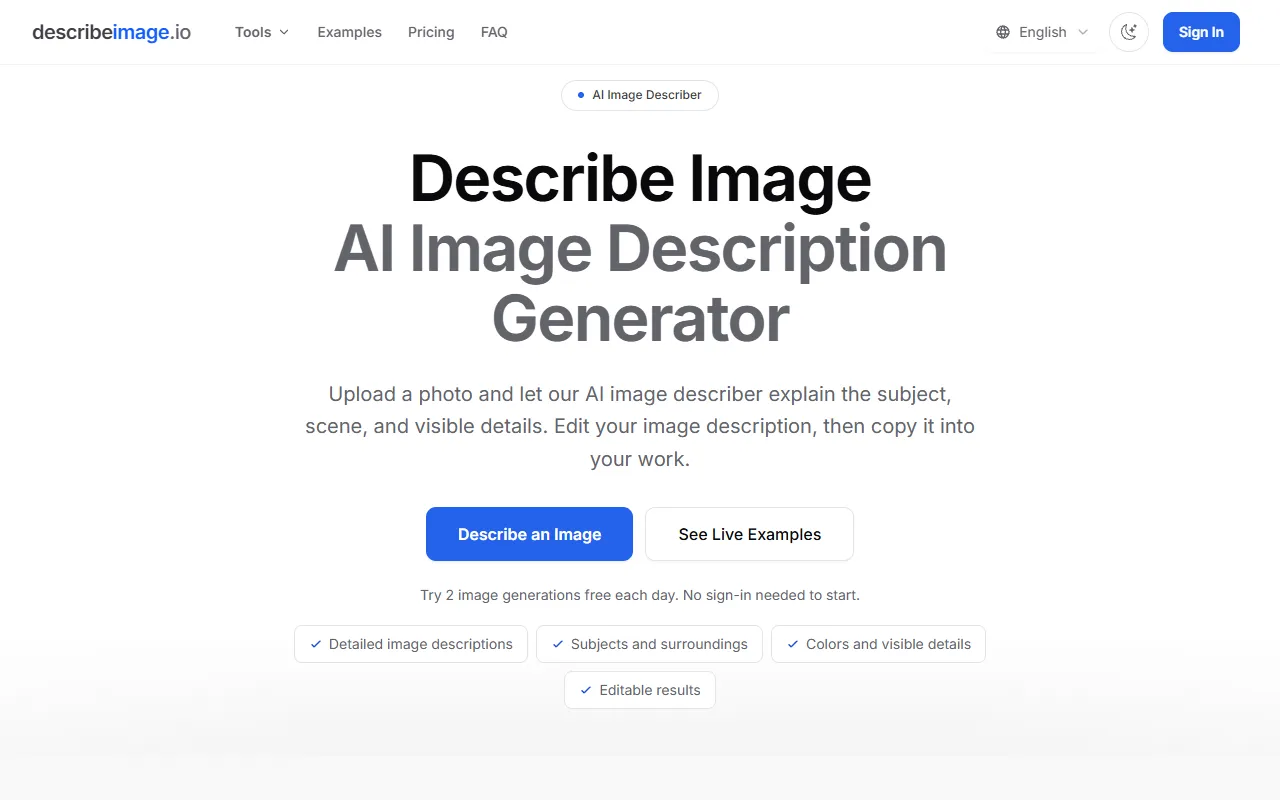
Homepage screenshot
Pros:
  • Works without sign-in for 2 generations a day
  • Writes descriptions, alt text, captions, product copy and image prompts from one upload
  • Free alt text checker for a public web page, with no credits or sign-in
  • Exports tables to XLSX or CSV and text to DOCX
  • Accepts uploads, pasted screenshots and public image URLs
  • Purchased credit packs do not expire
  • Saving to history is optional
  • Users keep their rights in uploads and generated text under the Terms
Cons:
  • Check-in credits expire after 24 hours
  • Video tools and Model 2.0 need a paid plan
  • Batch upload is listed only on Studio
  • Images are limited to 15 MB
  • The Privacy Policy does not mention AI training
  • No prorated refunds, and one-time purchases are generally final
  • The site does not name a company or an address
  • No public API or Zapier, Make or Albato app found

No public API available

About the tool

Describe Image is a web tool that writes text from images. You upload a JPG, PNG, WebP or GIF file of up to 15 MB, paste a screenshot or add a public image URL, then pick an output mode and a language. Modes include detailed and brief descriptions, alt text, SEO descriptions, text extraction, social captions, product listings, image prompts, chart analysis and document summaries. A custom prompt can add instructions, and several images can be queued with the same mode. Results can be edited and copied. On separate pages, Chat with Image answers follow-up questions about one picture, and Chat with Video does the same along a clip's timeline on paid plans. Image to Excel exports tables as XLSX or CSV, JPG to Word makes an editable DOCX, and Image to HTML rebuilds a screenshot as a web page with GPT-6 Luna. The alt text checker scans one public page for missing alt text without credits or sign-in. The site says AI output can be incomplete or inaccurate and asks users to review it before publishing. Model 1.0 costs 2 credits per image generation or chat message, and Model 2.0 costs 4 and needs a paid plan. Guests get 2 generations a day, and signed-in Free users can collect 10 credits with a daily check-in, valid for 24 hours. Basic costs $9.99 a month with 800 credits or $95.99 a year with 9,600, Pro $19.99 with 1,700 or $185.99 with 20,400, and Studio $49.99 with 4,600 or $459.99 with 55,200. Credit packs start at $5.99 for 300 credits and do not expire. With saving off, task access ends after 1 hour for guests and 24 hours for signed-in users.

Key use cases

Content Writing

AI content generation for blogs, websites and more. Draft new pieces, edit them and improve your writing.

Product Description Writing

Use an AI text generator to write ecommerce product descriptions that highlight value and benefits.

Data Extraction

Capture structured information from documents, websites, emails and forms, ready to use in your workflows.

Social Media Content

Craft posts, captions, short-form videos and visual content for Instagram, LinkedIn, TikTok and other social platforms.


Pricing and plans

  • Free: $0. 2 image generations a day without sign-in. Signed-in users get 10 credits with each daily check-in, valid for 24 hours (up to 5 Model 1.0 generations). Video tools and Model 2.0 need a paid plan.
  • Basic: $9.99/month, or $95.99/year. 800 credits a month, or 9,600 for the year. Model 2.0, all 11 output modes, video descriptions, Chat with Video and email support.
  • Pro: $19.99/month, or $185.99/year. 1,700 credits a month, or 20,400 for the year. Adds longer video, a faster queue and priority email support.
  • Studio: $49.99/month, or $459.99/year. 4,600 credits a month, or 55,200 for the year. Adds batch upload, long video, larger uploads, the priority queue and dedicated support.
  • Credit packs: $5.99 (300 credits), $15.99 (1,000) or $39.99 (2,800). One-time purchase with the features of Basic, Pro or Studio. Purchased credits never expire.

Model 1.0 costs 2 credits per image generation or chat message, and Model 2.0 costs 4. A signed-in Image to HTML conversion costs 4 credits. The yearly price is 20% to 23% lower than 12 monthly payments. Subscriptions renew automatically, and access continues until the paid period ends after cancellation. Refunds are reviewed case by case, with no prorated refunds and generally none for consumed credits or one-time purchases.

November 25, 2026
See alternatives

Frequently asked questions

Is Describe Image free?

Yes, with limits. Guests get 2 image generations a day without signing in. Signed-in users on the Free plan can collect 10 credits with a daily check-in, enough for up to 5 Model 1.0 generations, and those credits expire after 24 hours. Video tools and Model 2.0 need a paid plan. Checked November 25, 2026 (pricing).

How much does Describe Image cost?

Basic is $9.99 a month with 800 credits or $95.99 a year with 9,600. Pro is $19.99 with 1,700 or $185.99 with 20,400, and Studio is $49.99 with 4,600 or $459.99 with 55,200. One-time packs cost $5.99 for 300 credits, $15.99 for 1,000 and $39.99 for 2,800. Checked November 25, 2026 (pricing).

Can I get a refund from Describe Image?

Refund requests are reviewed case by case. Subscriptions generally have no prorated refunds, consumed credits are generally not refunded, and one-time purchases are generally final. Describe Image asks you to cancel at least 24 hours before the next billing date, and access continues until the period ends (Refund Policy, updated April 25, 2026).

Is my content used to train AI?

The Privacy Policy does not say. It states that media goes to AI providers such as Replicate and that media and text are not sold. With saving off, task access ends after 1 hour for guests and 24 hours for signed-in users. Saved results are currently kept for 30 days (Privacy Policy, updated September 27, 2026).

Can I use the generated text commercially?

Yes, after your own review. The FAQ says you can use the text in your workflow and asks you to verify claims, specs and prices on commercial pages. Under the Terms, users keep their rights in uploads and outputs and give Describe Image a limited license to process and store them to run and improve the service (FAQ, Terms of Service, updated April 25, 2026).

Does Describe Image have an API?

No public API was found on the official site, and the pricing page does not list one in any plan. The tools run in the browser, and results can be copied as text. Some tools also export files, such as XLSX or CSV from Image to Excel and DOCX from JPG to Word (pricing, Image to Excel).

Who makes Describe Image?

The site does not name a company or an address. It lists support@describeimage.io as the contact, and payments go through Creem, Stripe or another provider (Refund Policy, updated April 25, 2026).

Automation integrations

Native connectors with Zapier, Make and Albato, checked by AITL.

No direct integrations listed

No public direct integrations currently listed with Zapier, Make, or Albato.

Official channels

Where this tool is active and shares its updates.

Similar tools

Submit your product!

Submit your AI tool for review. The AITL team evaluates every submission by hand. Add the AITL badge to your site and send us the link to get a reply within 48 hours.

Submit now

Side by side

Facts from each tool's AITL page. AITL does not pick a winner.

Open on the Compare page

Listed on AITL? Get your badge

Show visitors that your tool is listed on AITL. Copy the code below and paste it into your website's HTML. The badge links straight to this page.

Listed on AITL badge preview
  1. 1Copy the badge code
  2. 2Paste it into your site, for example the footer
  3. 3Visitors click through to your AITL listing
Free weekly email

One AI workflow a week

Every week we combine 2–4 tools from AITL into a step-by-step workflow you can try in minutes.

  • Clear steps, from the first tool to the result
  • Only tools we reviewed and listed on AITL
  • Plus the newest tools we listed that week

No spam. Unsubscribe anytime. See our Privacy Policy

You're in. Watch your inbox for your first workflow.
Oops! Something went wrong while submitting the form.
Example issue
4 tools · about 20 min

Turn one meeting into a week of social posts

Fathom
Claude
Leonardo AI
SocialBee
  1. Fathom records the call and writes the summary.
  2. Claude turns it into 5 short posts.
  3. Leonardo AI makes one image per post.
  4. SocialBee schedules them across the week.

Describe Image

$9.99/month ($95.99 billed yearly)

Visit Website