VideoUpscaler

✓ Verified by AITL
November 19, 2026

AI Video Upscaler to 4K, Pay per Second

VideoUpscaler is an AI video upscaler that turns MP4, MOV, MKV or WebM clips up to 1 GB into 1080P, 2K or 4K in the cloud, using the FlashVSR model. Pay per second of video: 10 free credits, plans from $29.90 a month, packs from $4.90.

Category:
AI Video
Pricing Model:
Freemium
Last checked:
November 19, 2026
Reviewed by:
Marian Cojocaru
Pricing Snapshot
Billing Frequency:
Monthly, Yearly, One-time
Paid Option From:
$29.90/month (Creator); credit packs from $4.90
Last Known Major Update:
Not publicly available

Some links on AITL are affiliate links and we may earn a commission at no extra cost to you. It never affects our reviews. How we curate

At a glance
VideoUpscaler
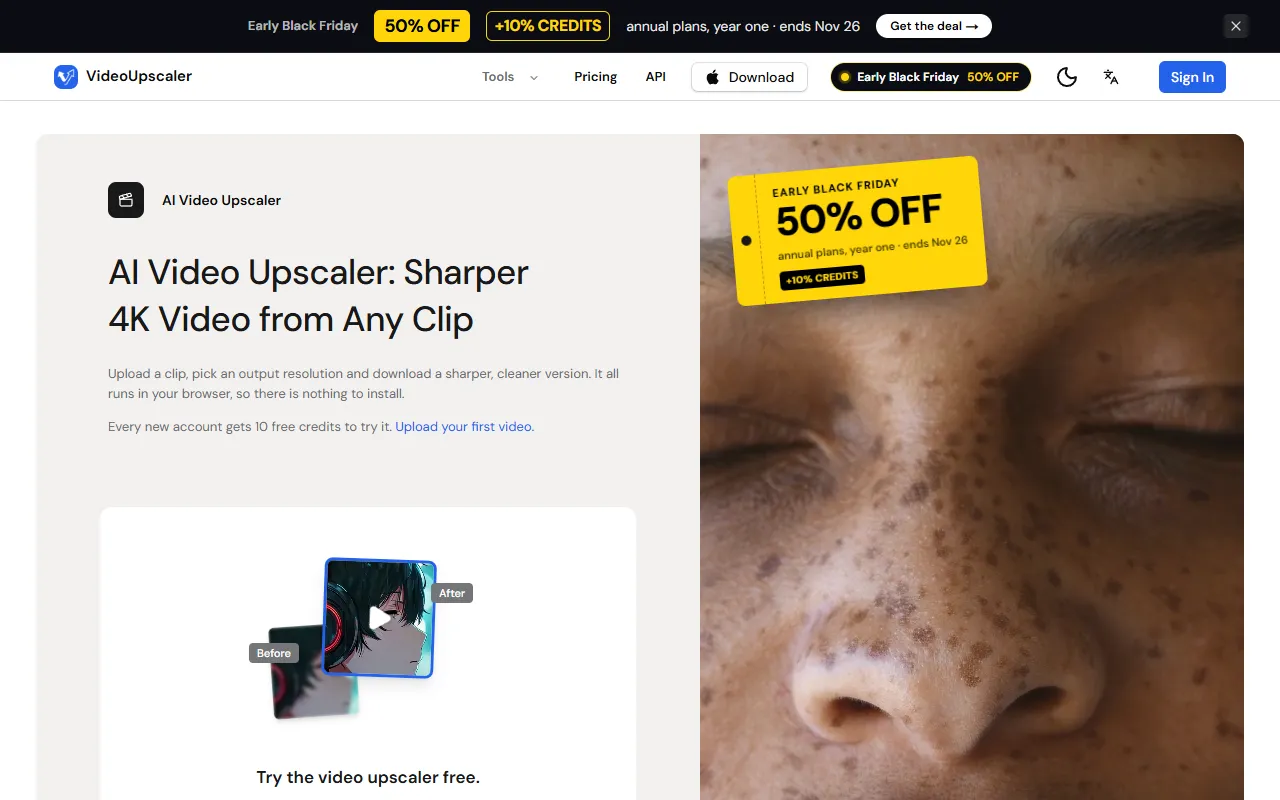
Homepage screenshot
Pros:
  • Real 1080P, 2K and 4K output with the price shown before processing
  • Runs in the browser on cloud GPUs, nothing to install
  • Keeps the original audio and refunds credits for failed jobs
  • REST API, MCP server, n8n node and Make blueprint
  • Credit packs from $4.90 that do not expire
  • Mac app that processes videos locally, up to 8K
Cons:
  • Free results carry a watermark
  • API and MCP access need a paid account
  • AVI, WMV, FLV and TS files must be converted first
  • Mac app needs Apple Silicon; Intel Mac and Windows builds are not out yet
  • Plan credits expire, unlike pack credits
API Available

No public API available

About the tool

VideoUpscaler raises the resolution of a video and rebuilds fine detail, so edges, text and faces look sharper than with simple resizing. You upload an MP4, MOV, MKV, WebM or M4V file up to 1 GB in the browser, pick 1080P, 2K (1440p) or 4K (2160p), and the job runs on cloud GPUs with FlashVSR, an open-source diffusion-based video super-resolution model. The original audio is kept, finished videos stay in your processing history, and if a job fails its credits go back to your balance. The site lists old home videos, gameplay clips, drone footage, anime, film scans and screen recordings as typical uses. Each second of video costs 1 credit at 1080P, 2 at 2K and 3 at 4K, and the total is shown before processing. Paid accounts can queue up to 10 videos in one batch. Developers get a REST API (create an upscale from a video URL or uploaded file, poll the task or stream its events), a remote MCP server for Claude Code, Cursor and VS Code, an n8n community node, a Make blueprint and an OpenAPI spec for tools like Dify and Coze. A free Chrome extension sends any web video to the upscaler with a right-click. A separate Mac app for Apple Silicon processes videos on your own Mac without uploading them, with six models, face recovery, frame interpolation, stabilization and presets up to 8K. New accounts get 10 free credits; videos made before the first purchase carry a small videoupscaler.co watermark. Monthly plans are Creator at $29.90 for 1,000 credits, Pro at $49.90 for 2,000 credits and Studio at $99.90 for 5,000 credits, with yearly billing from $287 a year. Credit packs from $4.90 for 70 credits to $219 for 10,000 credits are one-time purchases that do not expire while the account is active. The Mac app costs $99 a year or $159 once, after a 7-day free trial. VideoUpscaler is operated by SailorFlow LLC.

Key use cases

Video Production

Script, edit and produce polished videos faster, with automated captions, visual effects and an AI voice generator for voiceovers.

Social Media Content

Craft posts, captions, short-form videos and visual content for Instagram, LinkedIn, TikTok and other social platforms.

API & developer readiness

REST API at https://videoupscaler.co/api/v1 with Bearer API keys (vu_live_…). Endpoints: POST /upscale (video URL, resolution 1080p, 2k or 4k), POST /uploads (signed upload URL), GET /tasks/{id}, GET /tasks/{id}/events (Server-Sent Events), GET /tasks and GET /account. Uses the same credits as the web app and needs an account that has bought credits or subscribed. Also a remote MCP server (https://videoupscaler.co/api/mcp), an n8n community node (n8n-nodes-videoupscaler), a Make blueprint and an OpenAPI 3.1 spec. Docs at https://videoupscaler.co/docs.

Pricing and plans

  • Free: $0. 10 free credits for new accounts. Videos processed before your first purchase include a small watermark.
  • Creator: $29.90/month, or $23.92/month billed yearly ($287/year). 1,000 credits per month (about 5.5 minutes of 4K, 8.3 minutes of 2K or 16 minutes of 1080P). No watermark, batch processing.
  • Pro: $49.90/month, or $34.92/month billed yearly ($419/year). 2,000 credits per month (about 11 minutes of 4K). Lower cost per credit, no watermark, batch processing.
  • Studio: $99.90/month, or $59.92/month billed yearly ($719/year). 5,000 credits per month (about 27 minutes of 4K). Lowest monthly cost per credit, for teams and heavy use.
  • Credit packs: from $4.90 one-time. 70 credits $4.90, 200 credits $9.90, 500 credits $19.90, 1,000 credits $34.90, 2,000 credits $59, 5,000 credits $129, 10,000 credits $219. No watermark, batch up to 10 videos.
  • Mac app: $99/year or $159 one-time (perpetual license). Runs on your own Mac with Apple Silicon (M1 or later, macOS 12+, 8 GB memory), no credits needed, one Mac at a time. 7-day free trial.

Prices are in USD. Credits cost 1 per second of video at 1080P, 2 at 2K and 3 at 4K, rounded up to the next whole second. Pack credits never expire while your account is active; plan credits expire. Credits for failed jobs are refunded automatically. Purchases are otherwise non-refundable except where the law requires. Plans can be cancelled anytime.

November 19, 2026
See alternatives

Frequently asked questions

Is VideoUpscaler free?

Partly. New accounts get 10 free credits, which covers 10 seconds of 1080P video or about 3 seconds of 4K. Videos made before your first purchase carry a small videoupscaler.co watermark. Prices as of November 19, 2026.

How much does VideoUpscaler cost?

Each second of video costs 1 credit at 1080P, 2 at 2K and 3 at 4K, and you see the total before processing. Credit packs start at $4.90 for 70 credits and never expire while your account is active. Monthly plans start at $29.90 for 1,000 credits. Checked November 19, 2026 (pricing).

What happens if an upscale fails?

The credits for that job go back to your balance automatically. Other purchases are non-refundable except where the law requires otherwise. You can cancel a plan at any time from billing settings, and it stays active until the end of the paid period (Terms, updated October 17, 2026).

Are my videos used to train AI, and how long are they kept?

No. The privacy policy says VideoUpscaler does not watch your videos or use them to train AI models. Uploads, results and thumbnails are deleted automatically 30 days after processing, or sooner if you delete the task or your account (Privacy Policy, updated October 17, 2026).

Who owns the upscaled videos?

You do. The Terms say you keep all rights to the videos you upload and to the results produced for you. Results made before your first purchase carry a watermark, so paid credits are the way to get clean files (Terms, section 4).

Does VideoUpscaler have an API?

Yes, for accounts that have bought credits or a plan. The REST API upscales from a video URL or an uploaded file. A remote MCP server works with Claude Code, Cursor and VS Code, and there is an n8n node and a Make blueprint (docs).

Who makes VideoUpscaler?

SailorFlow LLC, a Wyoming company based in Sheridan, WY, USA. The official site is videoupscaler.co (Terms).

Automation integrations

Native connectors with Zapier, Make and Albato, checked by AITL.

No direct integrations listed

No public direct integrations currently listed with Zapier, Make, or Albato.

Official channels

Where this tool is active and shares its updates.

Similar tools

Submit your product!

Submit your AI tool for review. The AITL team evaluates every submission by hand. Add the AITL badge to your site and send us the link to get a reply within 48 hours.

Submit now

Side by side

Facts from each tool's AITL page. AITL does not pick a winner.

Open on the Compare page

Listed on AITL? Get your badge

Show visitors that your tool is listed on AITL. Copy the code below and paste it into your website's HTML. The badge links straight to this page.

Listed on AITL badge preview
  1. 1Copy the badge code
  2. 2Paste it into your site, for example the footer
  3. 3Visitors click through to your AITL listing
Free weekly email

One AI workflow a week

Every week we combine 2–4 tools from AITL into a step-by-step workflow you can try in minutes.

  • Clear steps, from the first tool to the result
  • Only tools we reviewed and listed on AITL
  • Plus the newest tools we listed that week

No spam. Unsubscribe anytime. See our Privacy Policy

You're in. Watch your inbox for your first workflow.
Oops! Something went wrong while submitting the form.
Example issue
4 tools · about 20 min

Turn one meeting into a week of social posts

Fathom
Claude
Leonardo AI
SocialBee
  1. Fathom records the call and writes the summary.
  2. Claude turns it into 5 short posts.
  3. Leonardo AI makes one image per post.
  4. SocialBee schedules them across the week.

VideoUpscaler

$29.90/month (Creator); credit packs from $4.90

Visit Website