
CleanVideoText

✓ Verified by AITL

Remove Burned-In Text from Video Without Blur

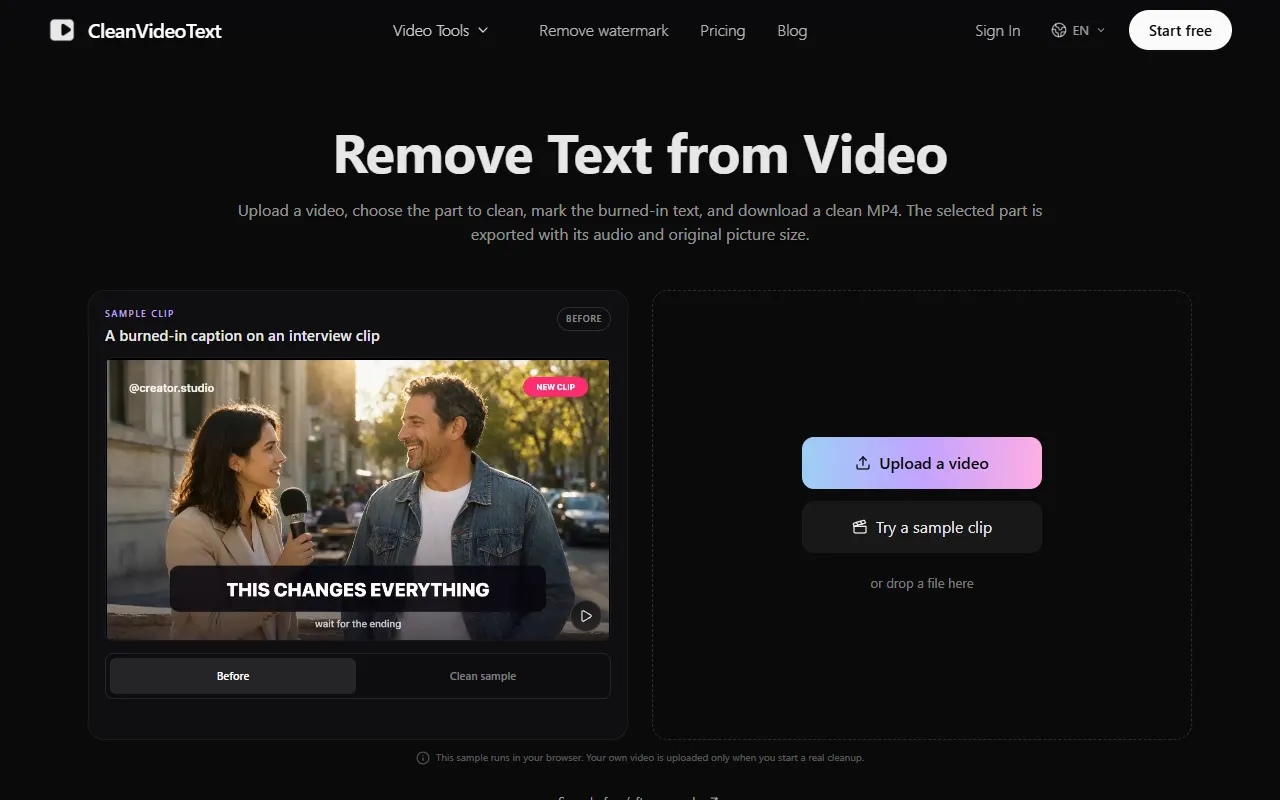
CleanVideoText is an online AI tool that removes burned-in subtitles, captions, handles, logos and watermarks from MP4 and MOV videos you own, rebuilding the background instead of blurring or cropping.

Category:
AI Video
Pricing Model:
Freemium
Pricing Snapshot
Billing Frequence:
Monthly / Yearly / One-time
Paid Option From:
$9 one-time (250 credits); plans from $29/month
Last Known Major Update:
November 2026

Some links on AITL are affiliate links and we may earn a commission at no extra cost to you. It never affects our reviews. How we curate

At a glance
CleanVideoText
This is some text inside of a div block.
Last checked:
November 8, 2026
Pros:
  • Rebuilds the background behind text instead of blurring or cropping
  • Keeps the audio and original picture size of the selected part
  • Free browser sample and 30 free credits with no card
  • One-time credit packs that never expire, plus monthly plans
  • Failed cleanups use no credits
  • Uploads deleted within 24 hours and never used for AI training
Cons:
  • Each cleanup is limited to a 5 to 90 second part of the video
  • Select area mode costs twice as many credits
  • Fast motion, faces and busy backgrounds can leave artifacts
  • No API, batch uploads or integrations
  • Watermark and logo removal is only allowed on footage you own
  • Company behind the service is not named on the site

No public API available

About the tool

CleanVideoText removes text that is part of the video picture, such as hardcoded subtitles, social captions, account handles, timestamps, logos and watermarks. Instead of cropping the frame or adding a blur bar, its AI rebuilds the background behind the text across the clip. You upload an MP4 or MOV of up to 200 MB and 10 minutes, choose a part of 5 to 90 seconds, and download an MP4 that keeps that part's audio and original picture size. Two modes cover different jobs. Auto scans the whole frame for text-like regions and uses 1 credit per second, while Select area repaints everything inside the boxes you draw and uses 2 credits per second. Jobs keep running on the server after you close the page, and finished clips wait in History. A free sample runs in the browser without uploading anything. The service is meant for footage you own or are licensed to edit: removing someone else's watermark or credit is not allowed, and rights holders can report misuse. Originals are deleted within 24 hours, results within 7 days, and footage is never used for AI training. New accounts get 30 free credits once, with no card needed. One-time packs cost $9 for 250 credits or $19 for 600 credits and never expire. Creator costs $29 a month for 1,000 credits or $319 a year for 12,000 credits, and Studio costs $49 a month for 1,800 credits. Failed cleanups use no credits, and unused one-time packs can be refunded within 14 days.

Key Use Cases

Video Production

Script, edit and produce polished videos faster, with automated captions, visual effects and an AI voice generator for voiceovers.

Social Media Content

Craft engaging posts and captions for Instagram, LinkedIn, TikTok and other social platforms.

Automation integrations

Native connectors with Zapier, Make and Albato, checked by AITL.

No direct integrations listed

No public direct integrations currently listed with Zapier, Make, or Albato.

Official channels

Where this tool is active and shares its updates.

Pricing and plans

  • Free: $0. 30 credits once on sign-up, no card required: about 30 seconds in Auto mode or 15 seconds in Select area.
  • Quick: $9 one time. 250 credits, for one or two short clips.
  • Starter: $19 one time. 600 credits, for a handful of clips.
  • Creator: $29/month, or $319/year. 1,000 credits every month, or 12,000 credits a year with one month free.
  • Studio: $49/month. 1,800 credits every month, for teams and client work.

Auto mode uses 1 credit per second and Select area uses 2 credits per second, with a 5-second minimum per cleanup. Failed cleanups use no credits. One-time pack credits never expire. Quick, Starter and Creator Annual can be refunded within 14 days while unused; monthly plans can be cancelled at any time, with no refund for the current period.

November 8, 2026
See alternatives

Similar tools

Submit your product!

Submit your AI tool for review. The AITL team carefully evaluates every submission and responds within 48 hours.

Submit now

Listed on AITL? Get your badge

Show visitors that your tool is listed on AITL. Copy the code below and paste it into your website's HTML. The badge links straight to this page.

Listed on AITL badge preview
  1. 1Copy the badge code
  2. 2Paste it into your site, for example the footer
  3. 3Visitors click through to your AITL listing

Stay Ahead of the AI Tools Landscape

By subscribing, you agree to receive AITL emails, including promotions for Featured tools. See our Privacy Policy

Thanks for joining !
Oops! Something went wrong while submitting the form.

CleanVideoText

$9 one-time (250 credits); plans from $29/month

Visit Website