
Presentations.AI

✓ Verified by AITL
November 25, 2026

AI Presentation Maker with PowerPoint Export

Presentations.AI turns a prompt, document, spreadsheet or URL into a slide deck and exports it as an editable PowerPoint file. It has a free plan, and paid plans start at $7 a month billed yearly.

Pricing Model:
Freemium
Last checked:
November 25, 2026
Reviewed by:
Marian Cojocaru
Pricing Snapshot
Billing Frequency:
Yearly, Monthly (some plans)
Paid Option From:
$7/month billed yearly ($84/year)
Last Known Major Update:
Not publicly available

Some links on AITL are affiliate links and we may earn a commission at no extra cost to you. It never affects our reviews. How we curate

Private. Your feedback isn't shown on this page. See our Privacy Policy.

Feedback sent. Thank you.
Your feedback wasn't sent. Check your connection and try again.
At a glance
Presentations.AI
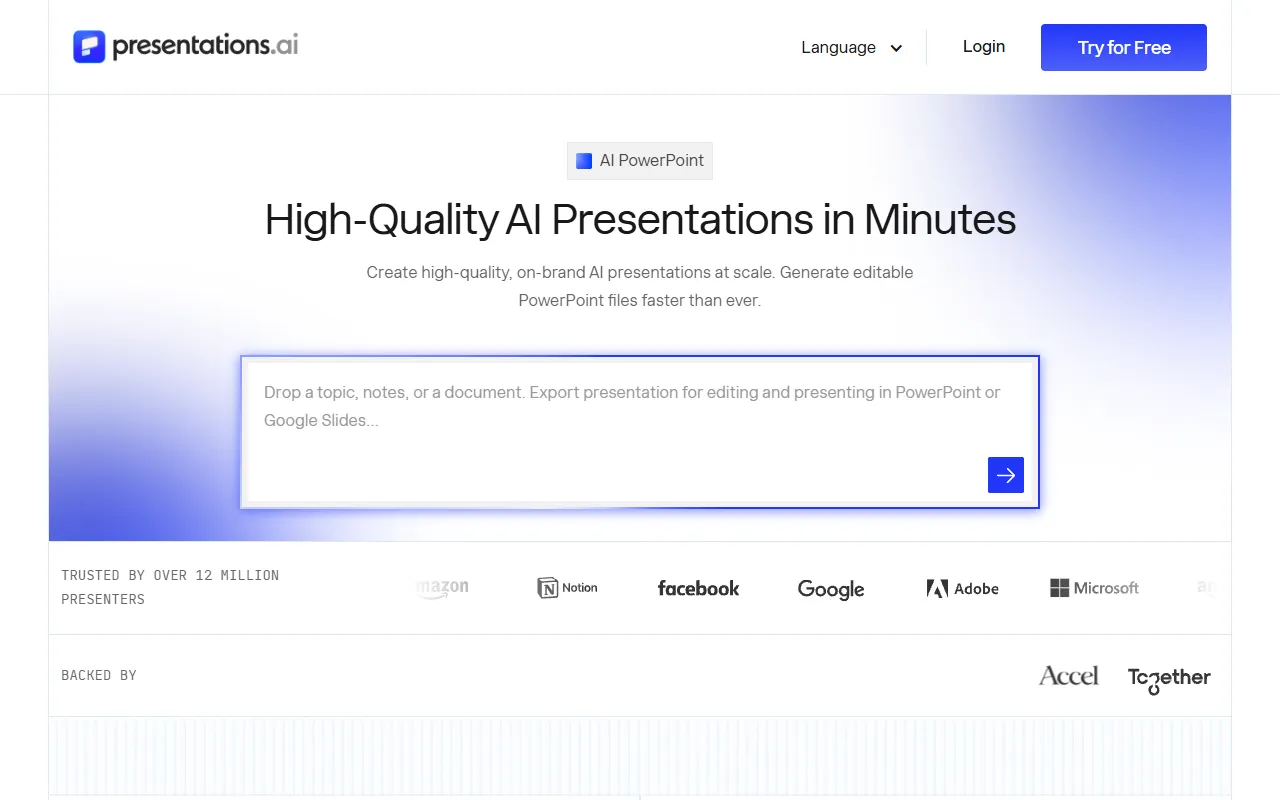
Homepage screenshot
Pros:
  • Builds decks from prompts, outlines, PDF, Word, Excel, URLs, Notion pages or Markdown
  • Exports editable PowerPoint files
  • Brand Sync applies a logo, fonts and colors from a company website
  • Recurring decks can be updated from live data on a schedule
  • Gold has unlimited seats with one shared pool of credits
  • REST API, MCP server, Zapier and Make apps
  • SOC 2 Type II certified, according to the company
  • The FAQ says content is not used to train AI models
Cons:
  • Free credits are valid for 30 days, and the FAQ lists PowerPoint export as a paid feature
  • No refunds, including for partly used subscriptions
  • Unused credits expire at the end of the plan period
  • The Terms ask for cancellation at least 30 days before renewal
  • Brand Sync is on the Basic plan card but not in the comparison table
  • API credits are billed separately from the app plans
  • Some listed data connectors are marked as coming soon on the API page
  • SSO and role-based access need a custom plan
API Available

About the tool

Presentations.AI is a web app that builds slide decks from a prompt, an outline, a PDF, a Word or Excel file, a URL, a Notion page or Markdown. It writes the copy, picks the layouts and makes decks of up to 20 slides in more than 14 languages. Brand Sync reads a company's website and applies its logo, fonts and colors to the slides. Every slide can be edited afterwards, several people can work on the same deck, and the result exports to PowerPoint. For recurring decks, the Presentation Refresh Agent connects to sources such as Google Sheets, Excel, Salesforce, HubSpot and PostgreSQL. It updates charts, tables and text on a schedule and keeps the design as it was. The company's pages differ on some connectors: the features page lists Snowflake and Tableau as sources, while the API page marks both as coming soon. There is also a Chrome extension that turns a web page into slides, a ChatGPT plugin, and an MCP server for Claude, Cursor and other clients. Zapier and Make both have an official app. Generating a slide costs 10 credits in Standard mode, 5 in Lite and 20 in Premium. A free account starts with 200 credits, or 400 with a work email, and they are valid for 30 days. Basic costs $84 a year with 4,000 credits, Pro $240 with 8,000, and Gold $1,200 with 60,000 shared credits and unlimited seats. Unused credits expire when the plan period ends, and payments are not refunded. The site says customer content is not used to train AI models.

Key use cases

Documentation Generation

Write guides, SOPs and technical documents in less time, with a consistent format across your team.

Dashboard Reporting

Put key metrics in one view for leadership reports and team monitoring, using AI for data analytics to support decisions.

Workflow Automation

Link your apps and automate repeated actions, so repetitive tasks stop taking up your time.

API & developer readiness

The REST API at api.presentations.ai works with API keys, and the MCP server accepts OAuth 2.1 or the same key. Both create decks from prompts, text or an outline, and the REST API also takes uploaded files and returns PPTX, PDF or images. The limit is 200 REST requests a minute per key. API credits are separate from the app plans: 200 free on sign-up (400 with a work email, valid 30 days), then from $49 a month for 12,000 credits to $1,999 for 800,000. Zapier has triggers and actions, and Make has two actions.

Pricing and plans

  • Starter: $0. 200 credits on sign-up, or 400 with a work email (about 20 or 40 slides), valid for 30 days. No card needed. The FAQ lists PowerPoint export as a paid feature.
  • Basic: $7/month billed yearly ($84/year). 4,000 credits a year (up to 400 slides), 1 seat and editable PowerPoint export.
  • Pro: $20/month billed yearly ($240/year). 8,000 credits a year (up to 800 slides), 1 seat, editable PowerPoint export, Brand Sync and Deep Research.
  • Gold: $100/month billed yearly ($1,200/year). 60,000 shared credits a year (up to 6,000 slides), unlimited seats, editable PowerPoint export and Brand Sync.
  • Enterprise: custom price. More than 60,000 credits, SSO/SAML and role-based access.
  • API: $49/month (Developer, 12,000 credits), $199 (Starter, 50,000), $499 (Growth, 150,000) or $1,999 (Scale, 800,000). Billed monthly per workspace, separate from the app plans.

Monthly billing is available for some app plans and costs 25% more per month. A slide costs 10 credits in Standard mode, 5 in Lite and 20 in Premium, AI edits cost 5, and Deep Research doubles the cost per slide. The Basic plan card lists Brand Sync, but the comparison table shows it only on Pro and Gold. Top-up credits can be bought at any time, unused credits expire at the end of the plan period, and there are no refunds. Prices are US reference prices, and the local price is shown at purchase.

November 25, 2026
See alternatives

Frequently asked questions

Is Presentations.AI free?

Yes, with limits. A free account gets 200 credits, or 400 with a work email, enough for about 20 or 40 slides. The credits are valid for 30 days and need no card. The FAQ lists PowerPoint export as a paid feature. Checked November 25, 2026 (pricing, API pricing).

How much does Presentations.AI cost?

Billed yearly, Basic is $84 ($7 a month) with 4,000 credits, Pro is $240 ($20 a month) with 8,000, and Gold is $1,200 ($100 a month) with 60,000 shared credits and unlimited seats. Monthly billing exists on some plans and costs 25% more. Checked November 25, 2026 (pricing).

Can I get a refund from Presentations.AI?

No. The pricing page and the Terms say there are no refunds, including for partly used subscriptions. After you cancel, the plan stays active until the period ends. The Terms ask you to cancel at least 30 days before renewal (Terms of Use, updated August 21, 2026).

Does Presentations.AI train AI on my content?

The FAQ says no, and adds that you can delete your content at any time. The Privacy Policy does not mention AI training. It lists research and development as a use of personal information and gives no fixed retention period (FAQ, Privacy Policy, effective August 21, 2026).

Who owns the presentations I make?

Presentations.AI does not claim ownership of your content. You grant it a perpetual, irrevocable, worldwide and sublicensable license to use, modify and display that content to run the service for you and other registered users, subject to your account settings (Terms of Use, updated August 21, 2026).

Does Presentations.AI have an API?

Yes. It has a REST API and an MCP server, with credits separate from the app plans. New workspaces start with the same free credits, and paid API plans run from $49 a month for 12,000 credits to $1,999 for 800,000. Checked November 25, 2026 (API pricing, API docs).

Who makes Presentations.AI?

The Data Processing Agreement names Slide Craft Technologies Pvt Ltd, with an address in Bangalore, India. The site lists its headquarters at 24 Sin Ming Lane, Singapore, says the company was founded in India in 2018, and names Accel and Together Fund as investors (DPA, AI Information).

Automation integrations

Native connectors with Zapier, Make and Albato, checked by AITL.

Zapier

Zapier is a no-code automation platform that connects thousands of apps and enables users to automate workflows without writing code.

✓ Connected

Zapier

Make

Make is a visual automation platform that lets users design complex workflows and integrate apps with detailed control over logic and data handling.

✓ Connected

Make
Official channels

Where this tool is active and shares its updates.

Similar tools

Submit your product!

Submit your AI tool for review. The AITL team evaluates every submission by hand. Add the AITL badge to your site and send us the link to get a reply within 48 hours.

Submit now

Side by side

Facts from each tool's AITL page. AITL does not pick a winner.

Open on the Compare page

Listed on AITL? Get your badge

Show visitors that your tool is listed on AITL. Copy the code below and paste it into your website's HTML. The badge links straight to this page.

Listed on AITL badge preview
  1. 1Copy the badge code
  2. 2Paste it into your site, for example the footer
  3. 3Visitors click through to your AITL listing
Free weekly email

One AI workflow a week

Every week we combine 2–4 tools from AITL into a step-by-step workflow you can try in minutes.

  • Clear steps, from the first tool to the result
  • Only tools we reviewed and listed on AITL
  • Plus the newest tools we listed that week

No spam. Unsubscribe anytime. See our Privacy Policy

You're in. Watch your inbox for your first workflow.
Oops! Something went wrong while submitting the form.
Example issue
4 tools · about 20 min

Turn one meeting into a week of social posts

Fathom
Claude
Leonardo AI
SocialBee
  1. Fathom records the call and writes the summary.
  2. Claude turns it into 5 short posts.
  3. Leonardo AI makes one image per post.
  4. SocialBee schedules them across the week.

Presentations.AI

$7/month billed yearly ($84/year)

Visit Website